
Let’s be honest: you clicked a blog post about a TUI, so you probably hate leaving the terminal as much as I do. I was hit hard with this annoyance when I started working with Temporal. Don’t get me wrong, I love Temporal, but the Web UI is likely faster than running a bunch of temporal workflow commands in the CLI. Yet it was still disruptive enough to my workflow that only one thought came to mind:
Surely someone has built a TUI for this
Imagine my surprise when I couldn’t find one! jesseduffield has me spoiled with lazygit & lazydocker - I had just hoped for lazytemporal , but alas I was left with two options. Write my own or accept that I have to routinely leave my terminal. If you’re like me, the latter was not an option, and thus tempo was born.
To be honest, I built tempo largely for myself. I just wanted to be faster and have better tools at my disposal. The quicker I can get in, get the information, and get out, the faster I can find those pesky bugs in all my code. Though as I’ve started using it and expanding features or surfacing more information, I’ve realized that it’s actually really powerful and enjoyable to use (with some bias of course). At this point I find that I almost never go to the Web UI except to share workflow runs with teammates, don’t worry I have some plans to yank the URL from terminal anyways.
Let’s get into showing you tempo though, as that’s why you are here. So what can it actually do?
Workflow Management
Browse workflows across all your namespaces
Inspect inputs, outputs, metadata, and execution state
Control running workflows by canceling, terminating, or signaling
Search with visibility queries and save reusable filters
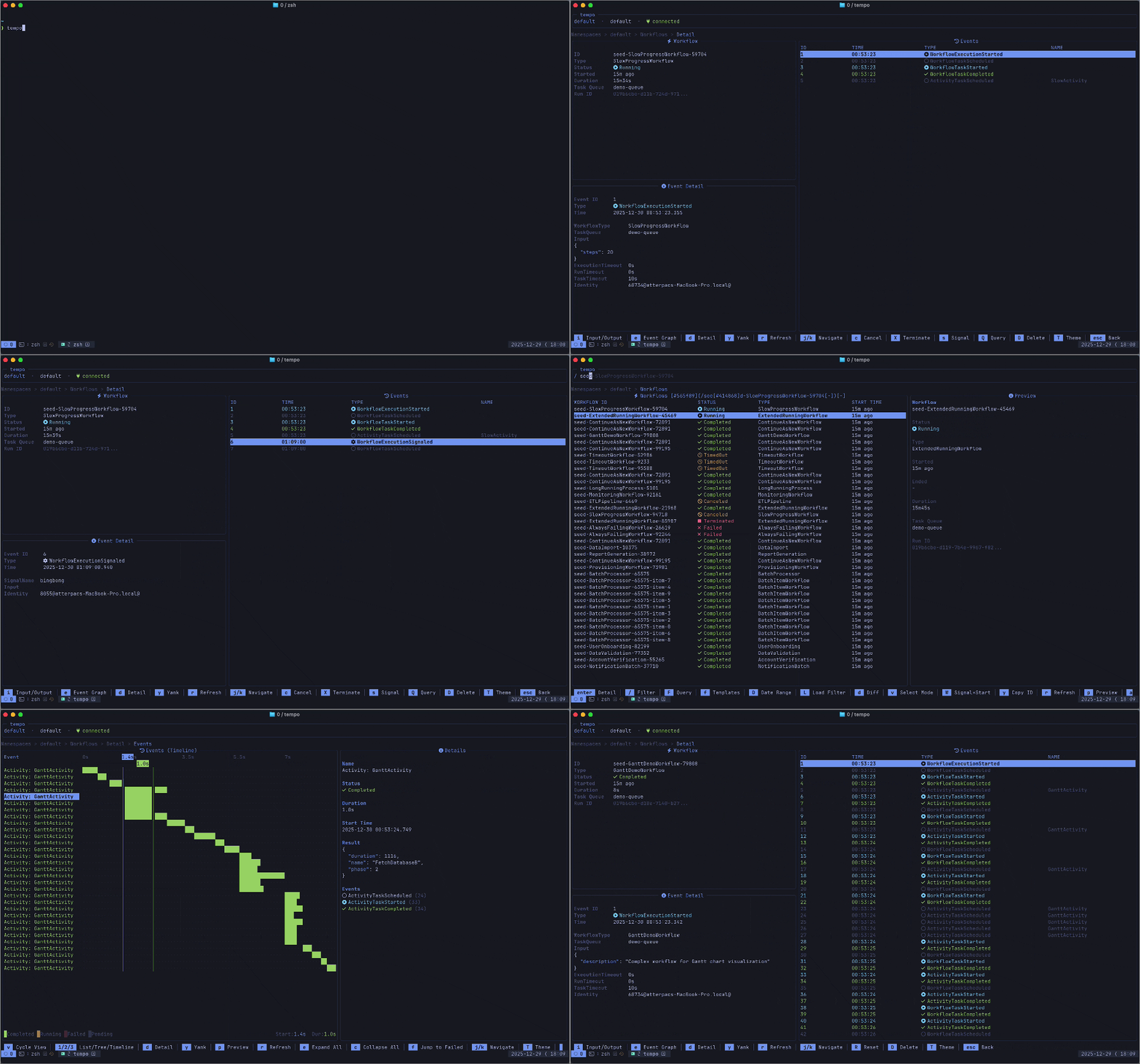
Visualization That Actually Helps
Explore event hierarchies in Tree View (see what spawned what)
Visualize execution over time in Timeline View (Gantt-style)
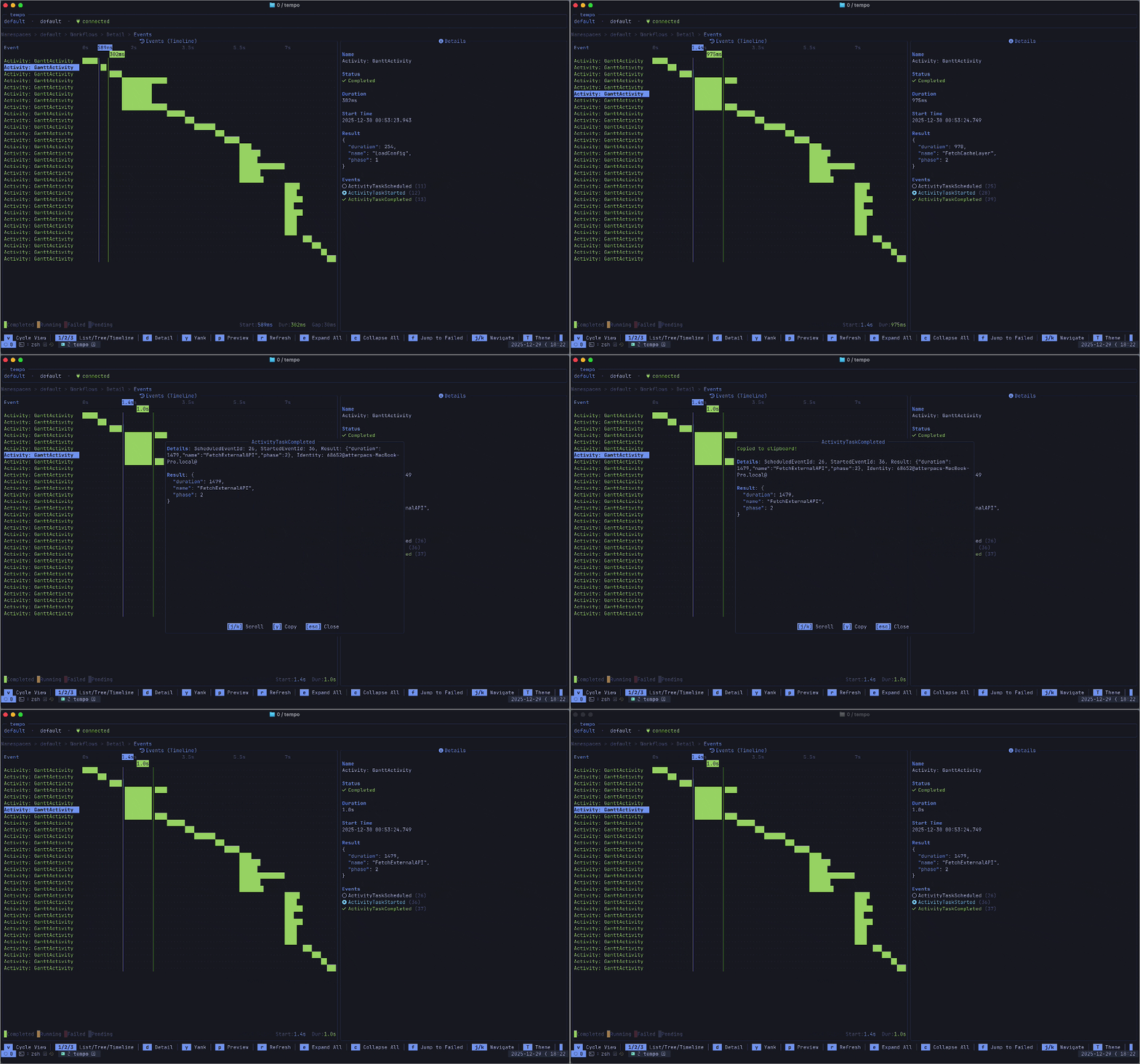
Namespace & Scheduling
List namespaces, inspect configs, and switch on the fly
Manage schedules by pausing, unpausing, triggering, or deleting
Monitor task queues and pollers
Multi-Environment Profiles
Save connection configs
Secure connections with built-in TLS/mTLS support
Switch profiles with a single keystroke (P)

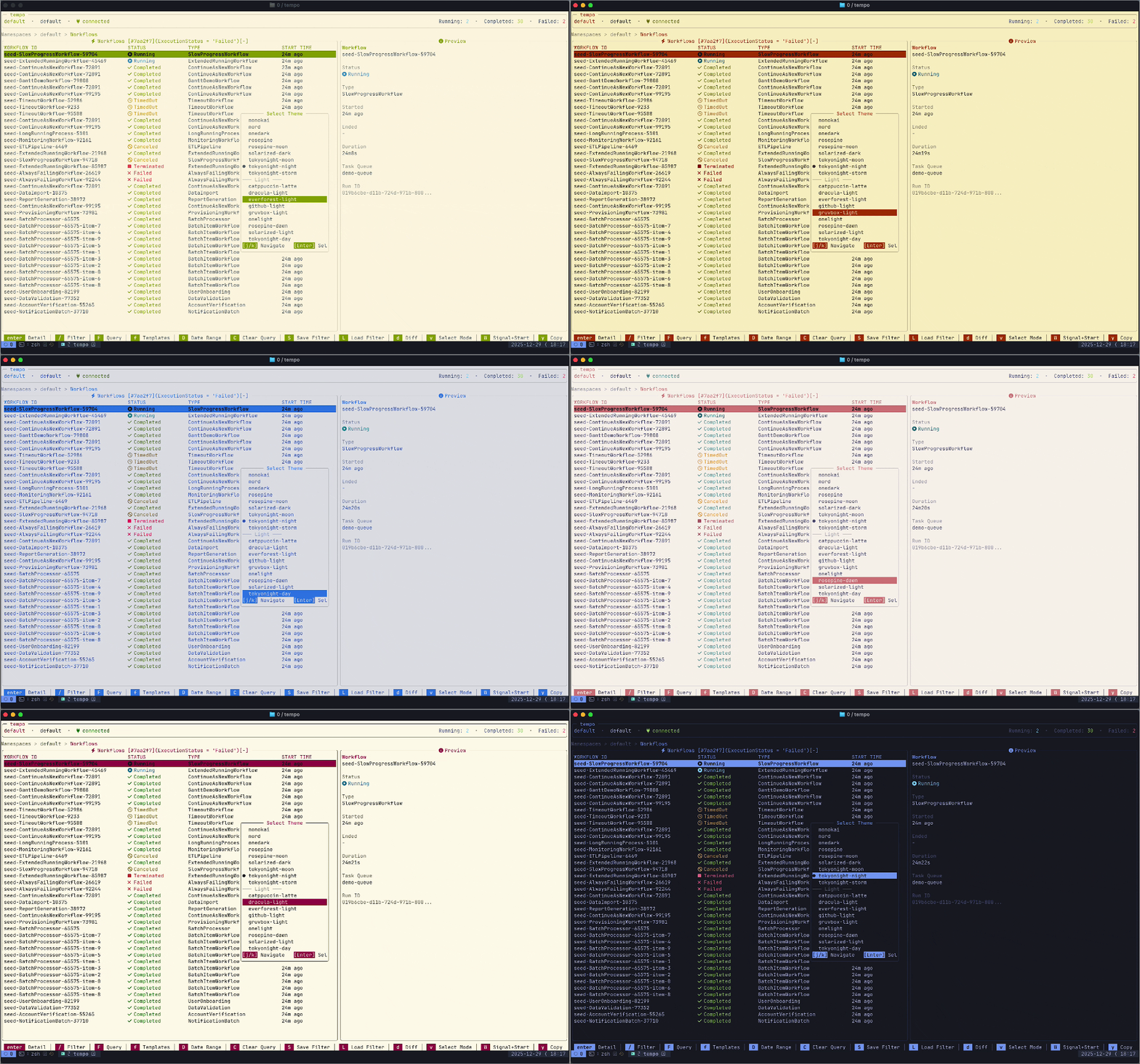
Built-in theme switching
Pick from 26 built-in themes (Catppuccin, TokyoNight, Dracula, Nord, Gruvbox, Rosé Pine, and more)
Preview themes live while picking
Choose dark or light variants because I don’t discriminate, but I do judge (you know who you are)
Terminal-Native UX
Navigate with VIM-style keys (j/k, / to filter, : for commands)
Use a keyboard-first workflow
Sounds great, right? I agree. Let’s go ahead and get it installed and try it out.
Go install is preferred right now because it’s the fastest way to get the latest version.
go install github.com/galaxy-io/tempo/cmd/tempo@latest
brew install galaxy-io/tap/tempo
If you’d prefer brew, we have a tap available. You will need to brew update to receive new versions.
tempo --address localhost:7233
Neither your style? Our GitHub releases has binaries for all supported platforms. Now if you wanted to rush right in, you can do the following command assuming you have a temporal instance available.
But let’s ensure we’ve got nice setup that we know how to configure.
tempo
We can create a config file in ~/.config/tempo/config.yaml that looks similar to the following, you will need to adjust for your specific configuration
Once you’re all configured, it’s as simple as running to launch into your active_profile from your config.
And you’re off! Remember that ? is context aware and displays any key binds that are available to you at the moment, shift-t opens the theme switcher, and shift-p opens profile picker.
If you don’t have easy access to a temporal instance to mess around, you can run the following commands to generate the same synthetic workflows locally that I am using in these demos.
tempo is actively being developed, so please report any bugs, share feedback, and request features to the tempo repo where all source code is also available. I would love to hear how you use it, what works, what doesn’t and what it’s missing so we can continue to improve.
A huge thank you to the team/community over at https://temporal.io for their platform, tooling and wonderful SDK that allows me to build something like this.
Stay safe,
Atterpac
Notes from the lab
8 Insights
Research
Questions
Answered
FAQ
What does Galaxy do?
What is Filament?
What is enterprise context management?
What does working with Galaxy look like?
How do you handle security and compliance?
Why does Galaxy build in the open?
Company
Copyright © 2026 Galaxy. All rights reserved.